Model from a picture
A photo plus one length becomes a scaled, editable model.
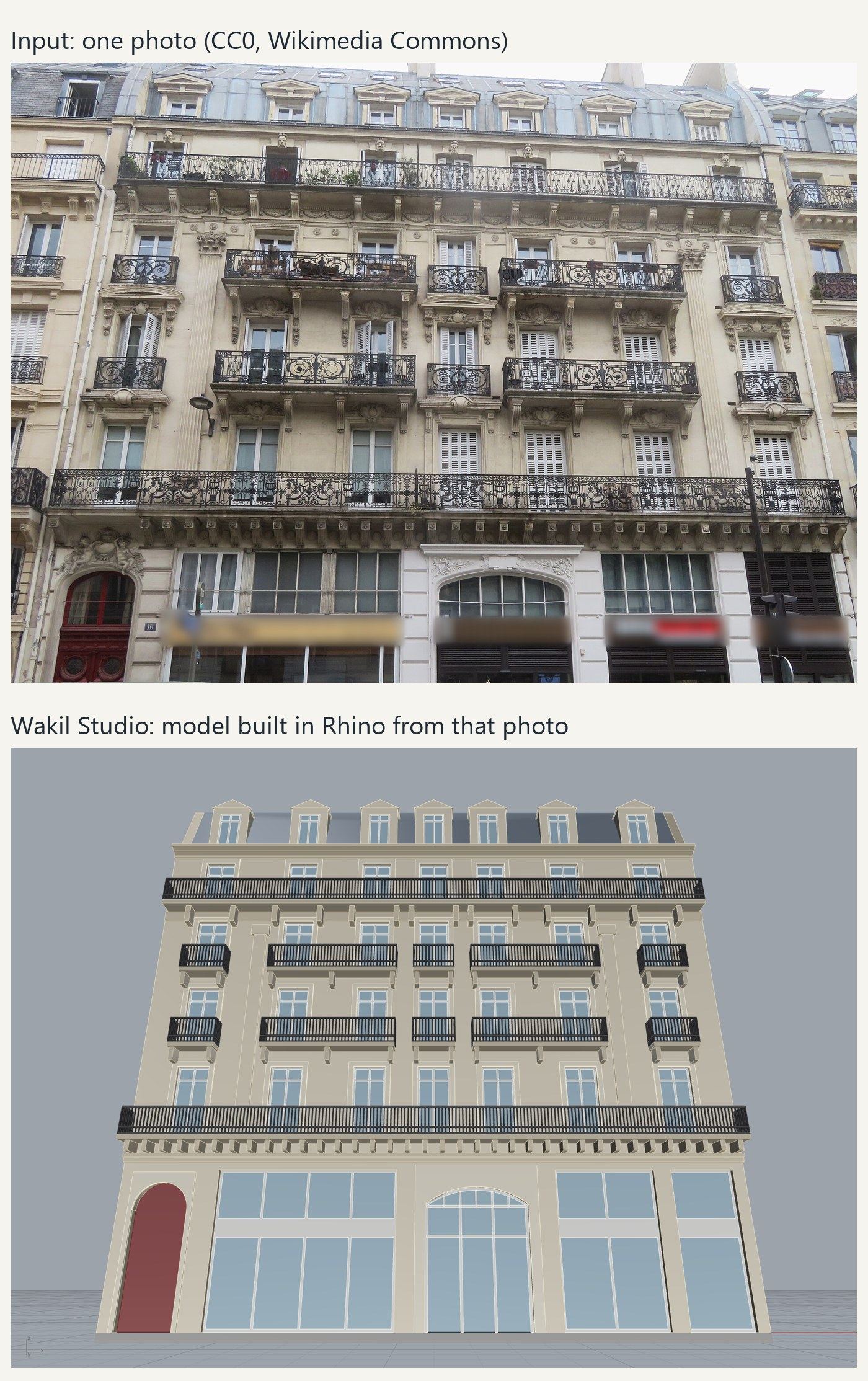
Assumed 22 m width. About 10 minutes.
Photo: VVVCFFrance, CC0 (Wikimedia Commons).

Available now · Windows
Works with all your AEC applications: Revit, Rhino, AutoCAD, Navisworks, Blender and more.
USD 149 once. No subscription.

What it does
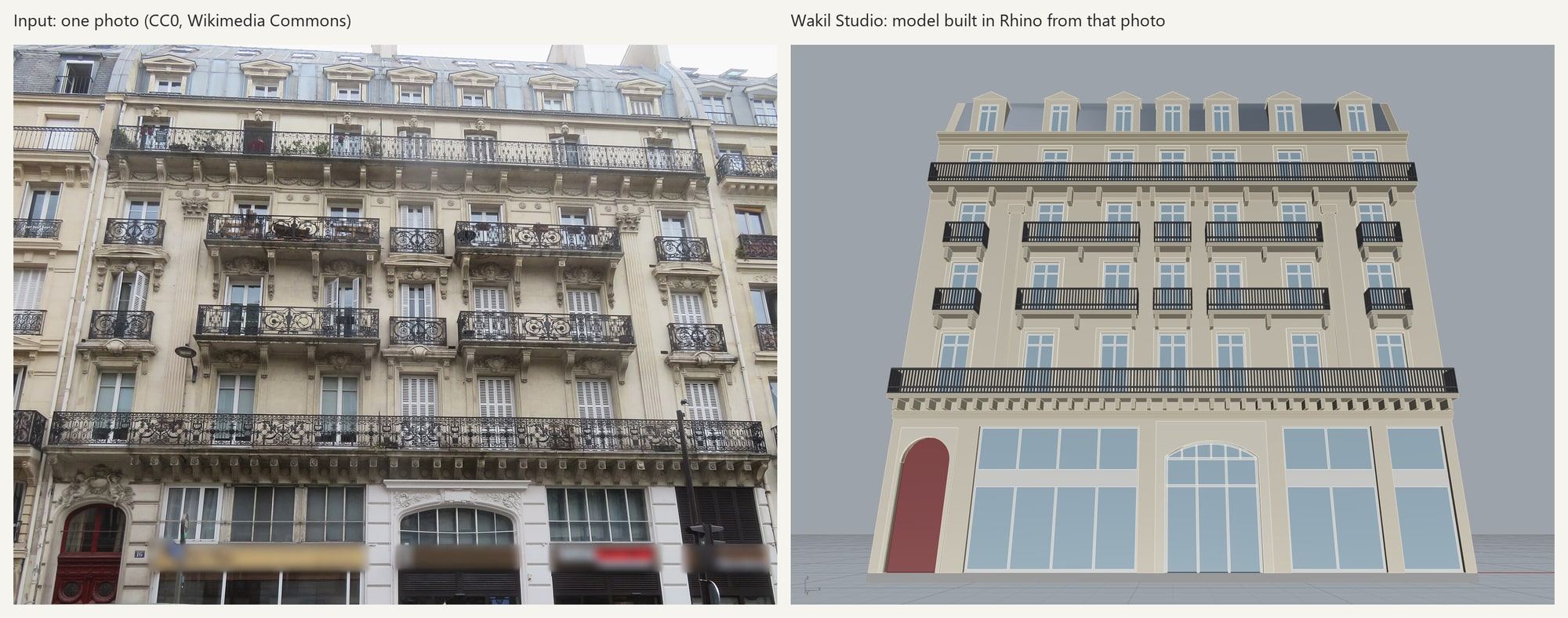
A photo plus one length becomes a scaled, editable model.
Assumed 22 m width. About 10 minutes.
Photo: VVVCFFrance, CC0 (Wikimedia Commons).
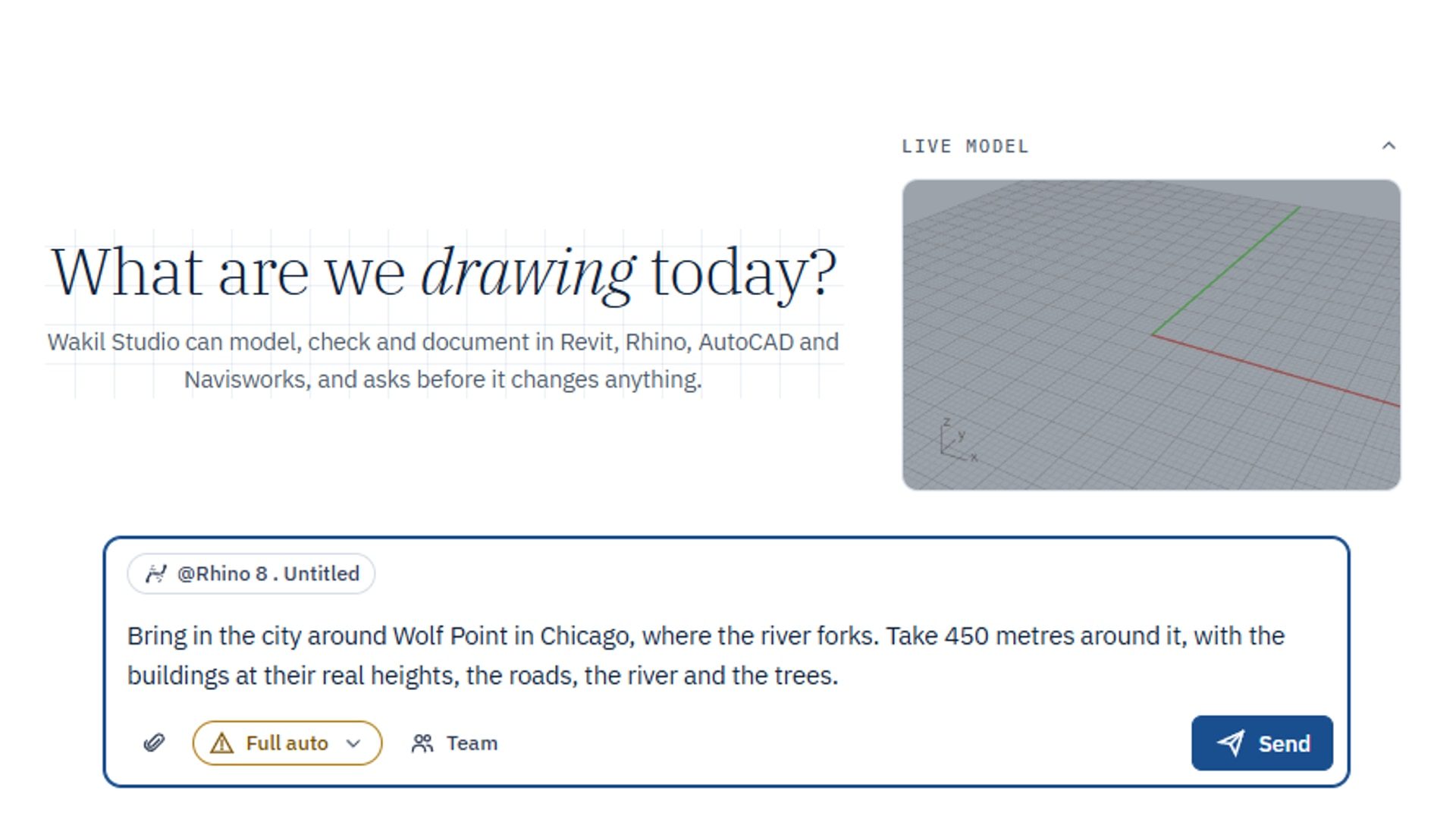
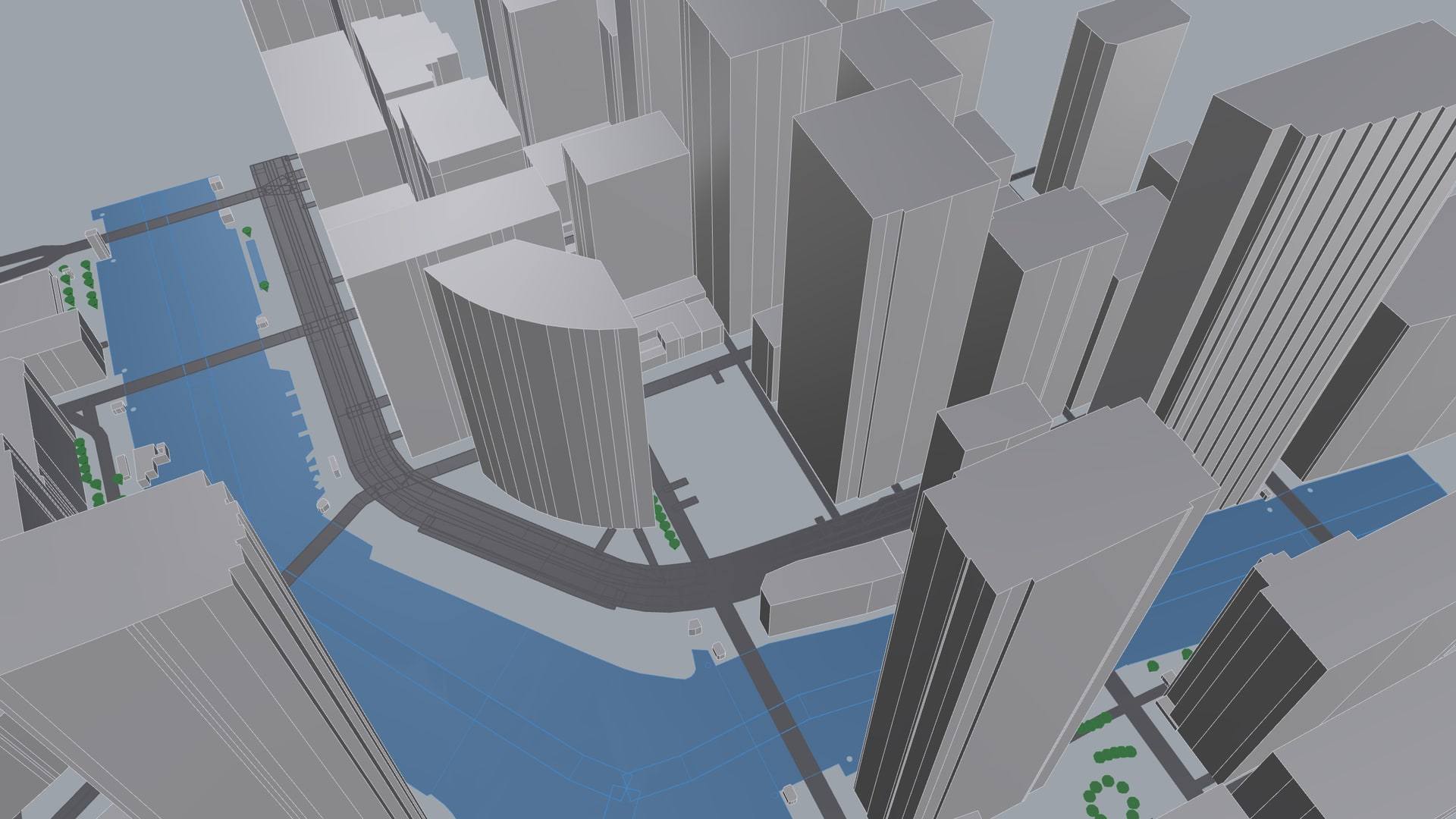
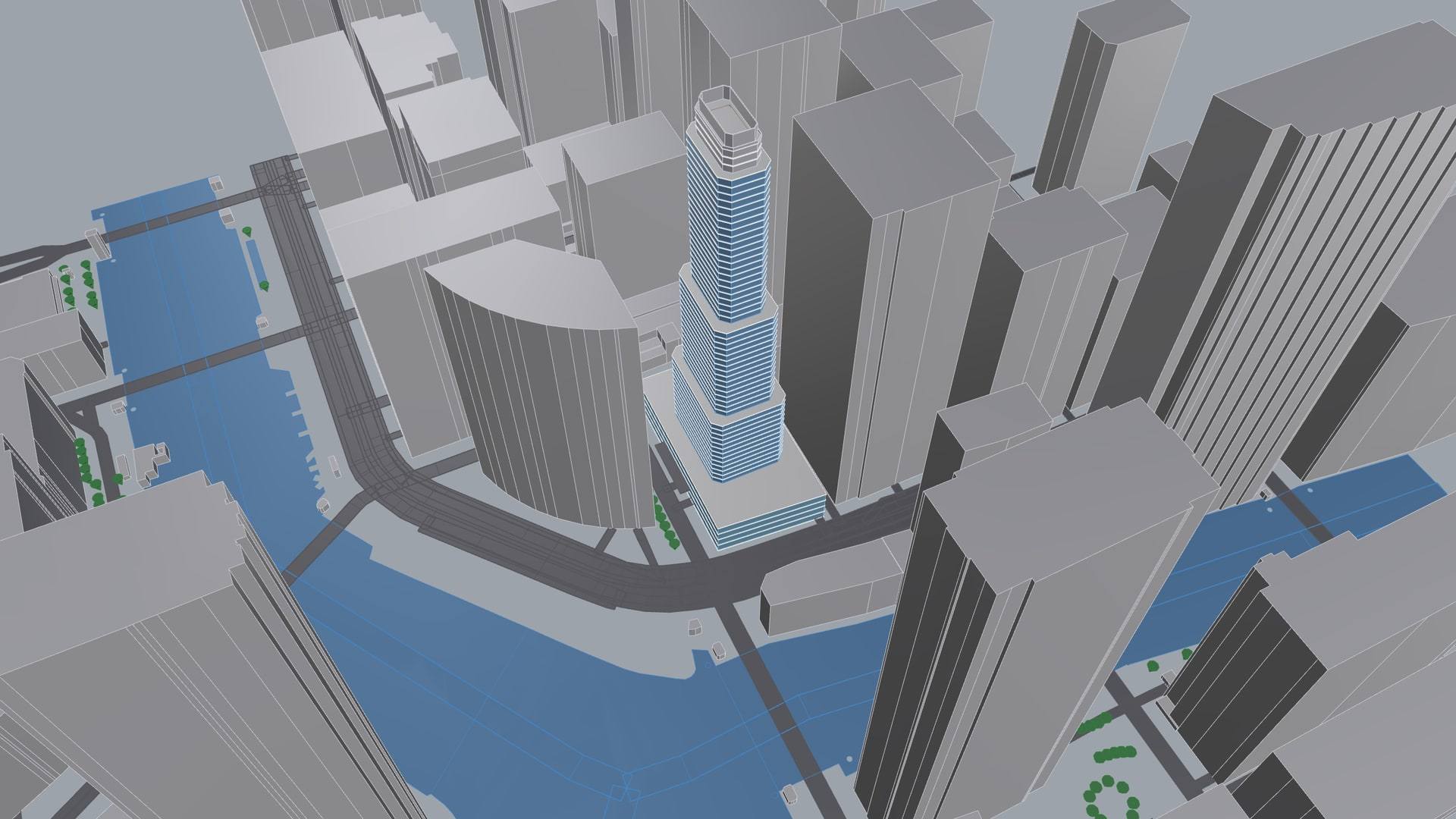
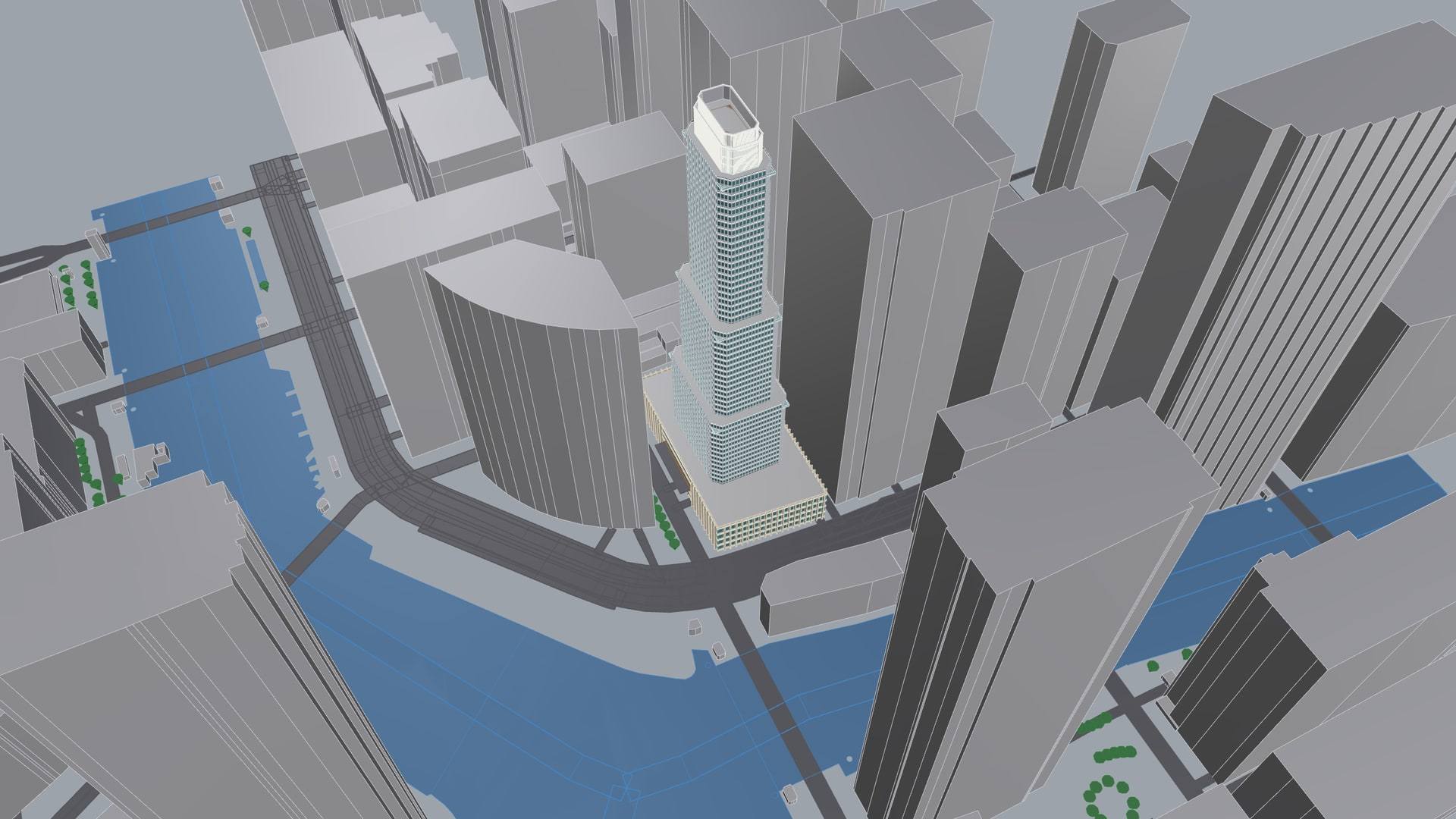
Type an address. Buildings, roads and parks land in your model.
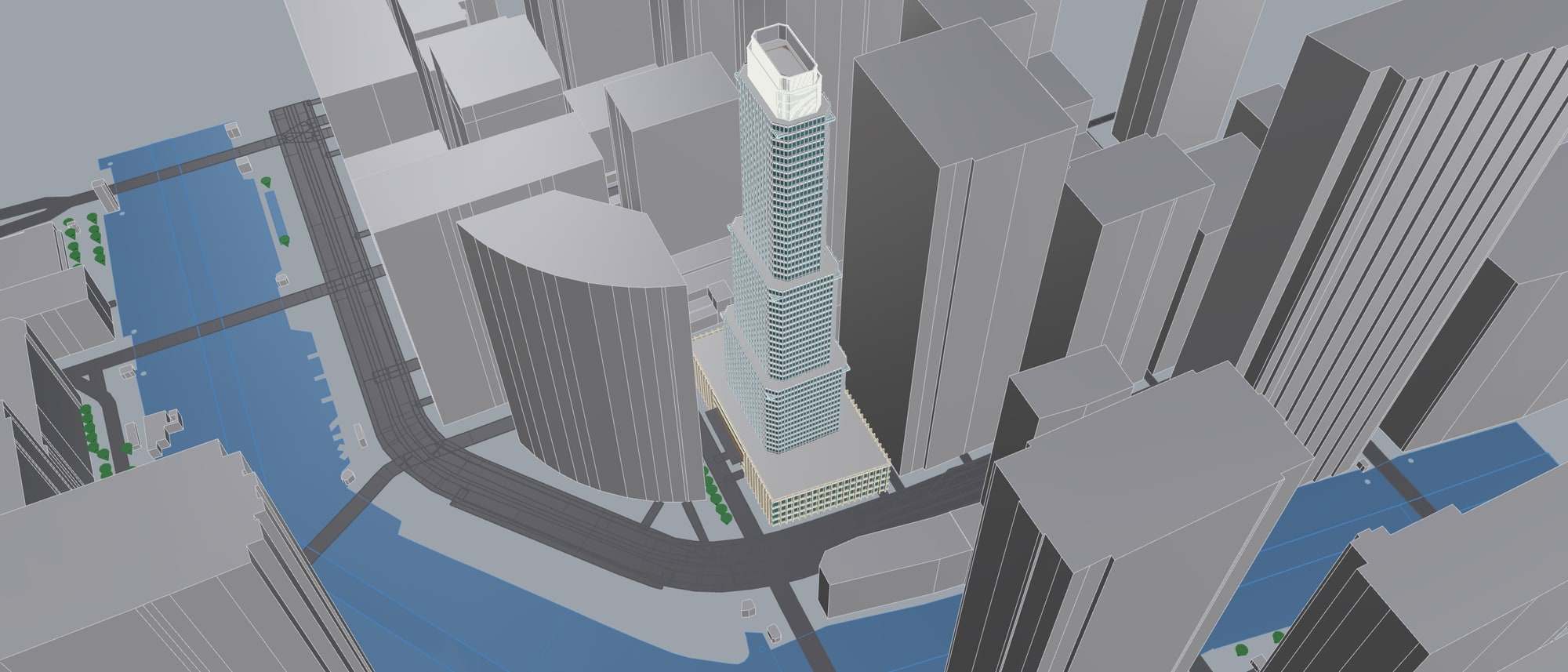
Map data © OpenStreetMap contributors, Overture Maps Foundation (ODbL).
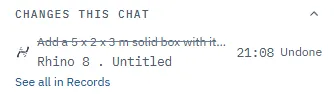
Every change is written down. Undo it, row by row.
Changed
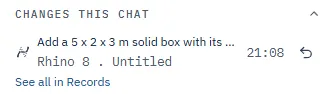
After one Undo
The ChatGPT desktop app, Codex or Gemini can work through it.
20 outputs, your own title block.
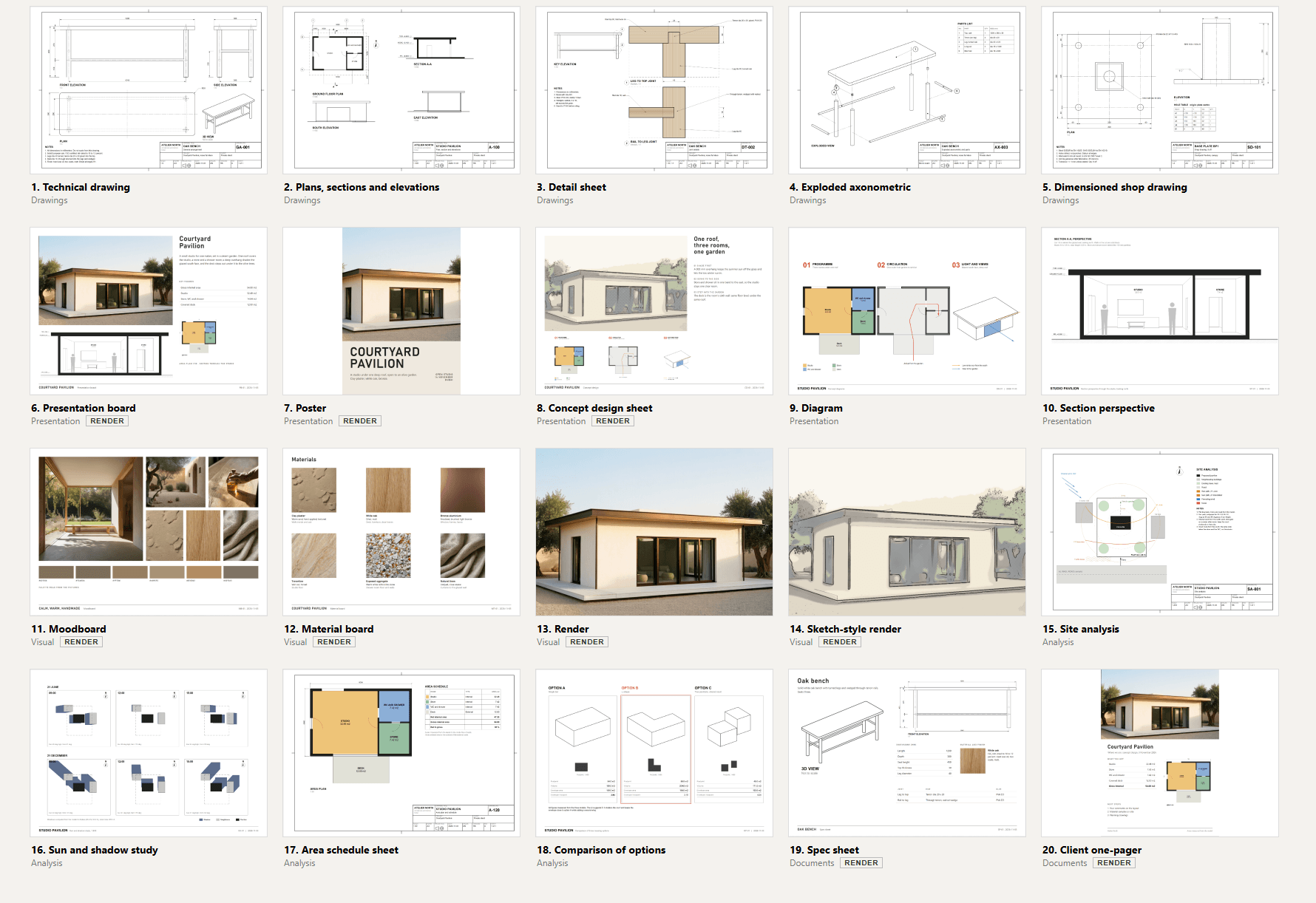
Render outputs need your own picture service.
A real lab scan, coloured by fit.
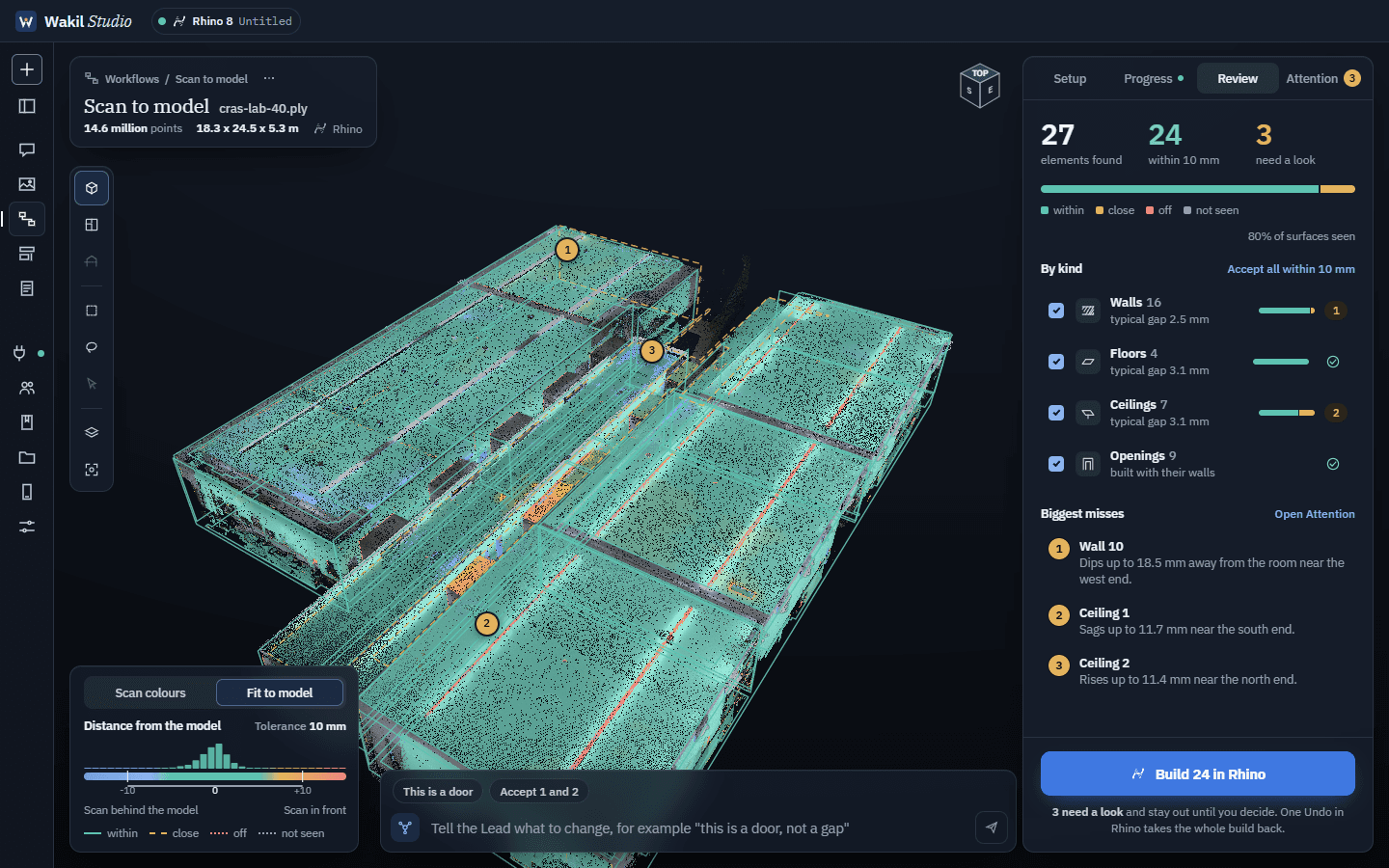
Scan: CRAS lab, FEUP, CC BY 4.0 (Zenodo 7948116).
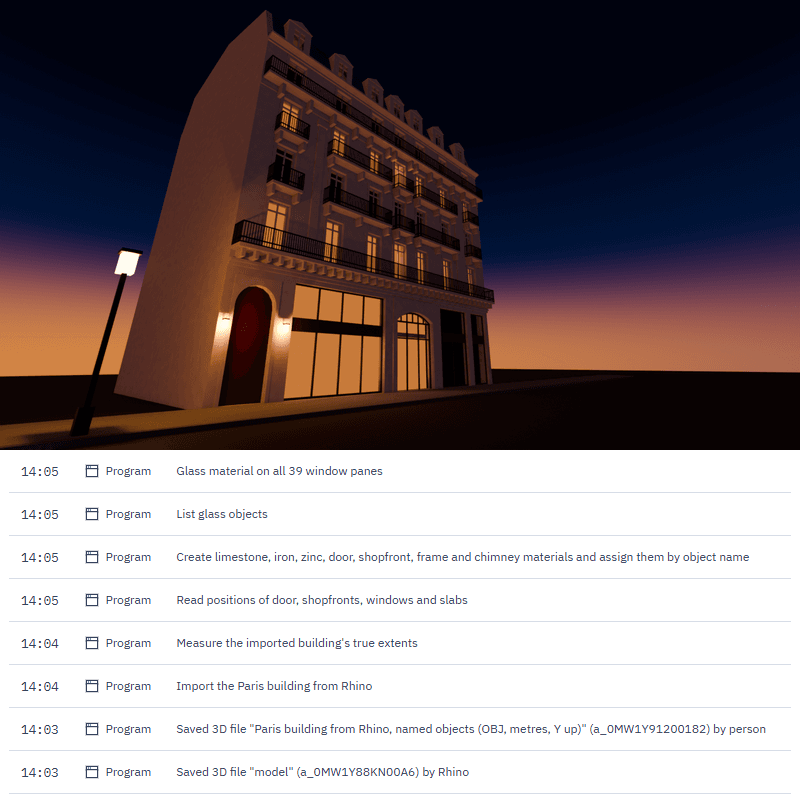
Rhino to Blender in one chat, with materials and dusk light.
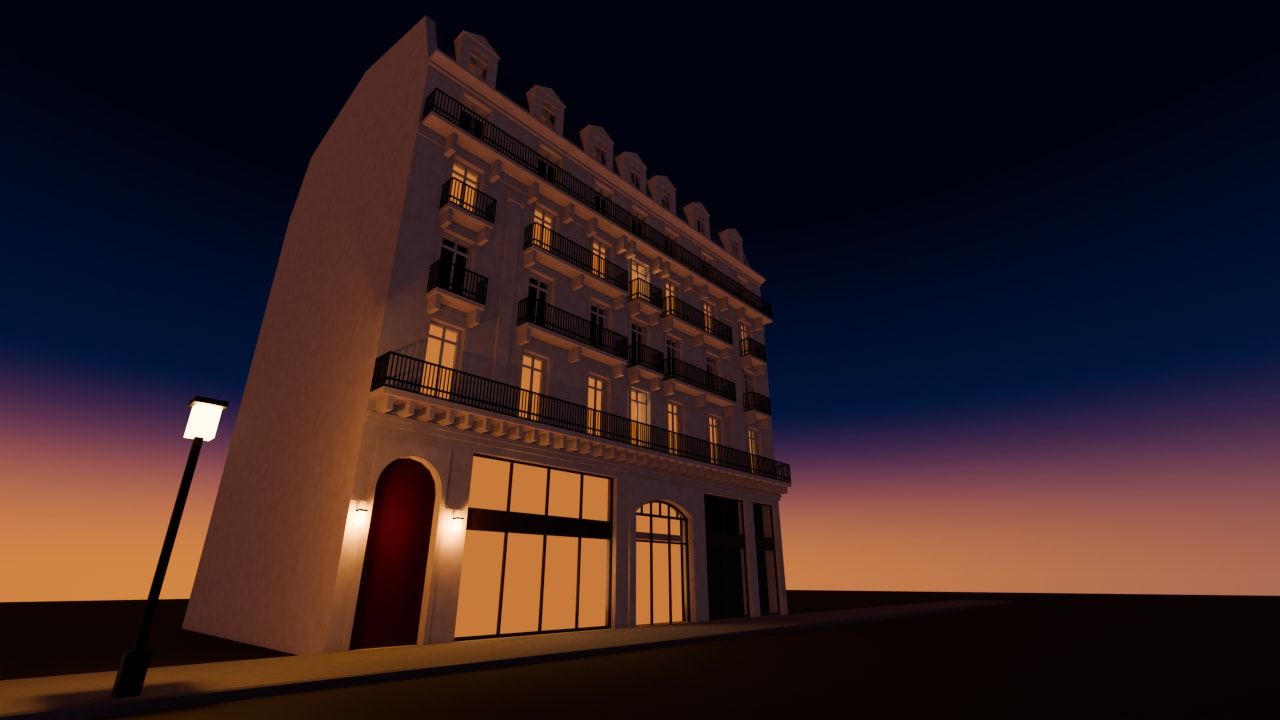
Same building, rendered in Blender in about 8 minutes.
Message it on Telegram. Pictures and sheets come back.
Typed on the phone
Model a 12 storey residential block on the plot in the open Rhino file, 2 cores, balconies on the south side, then send me a picture of it and a typical floor plan sheet as PDF
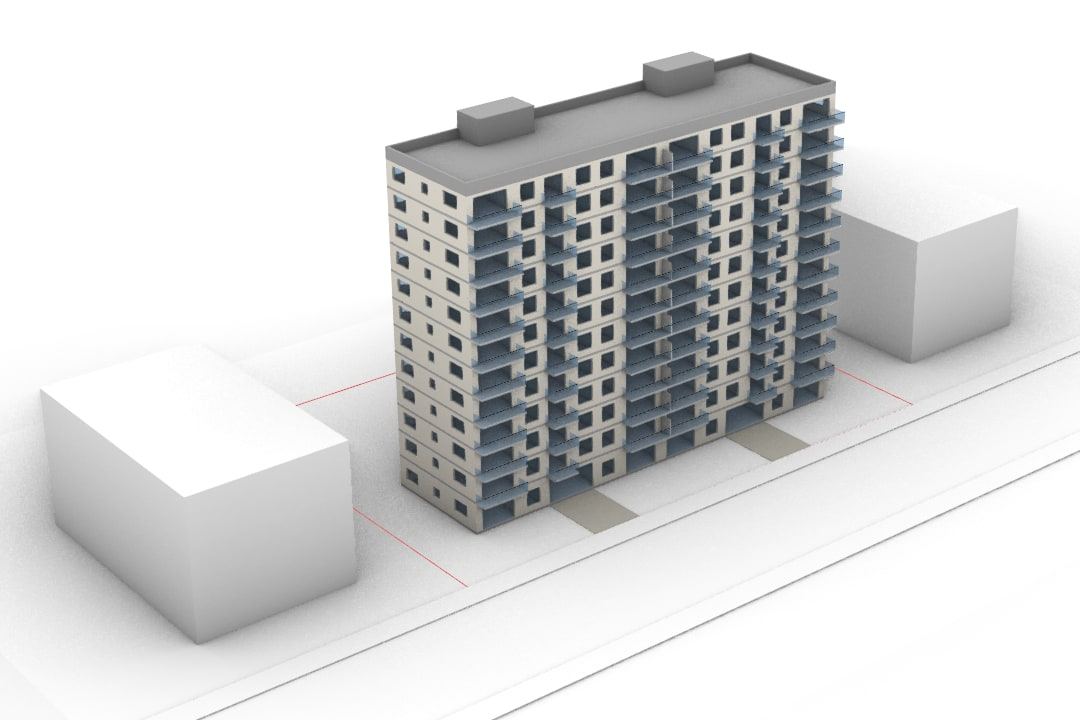
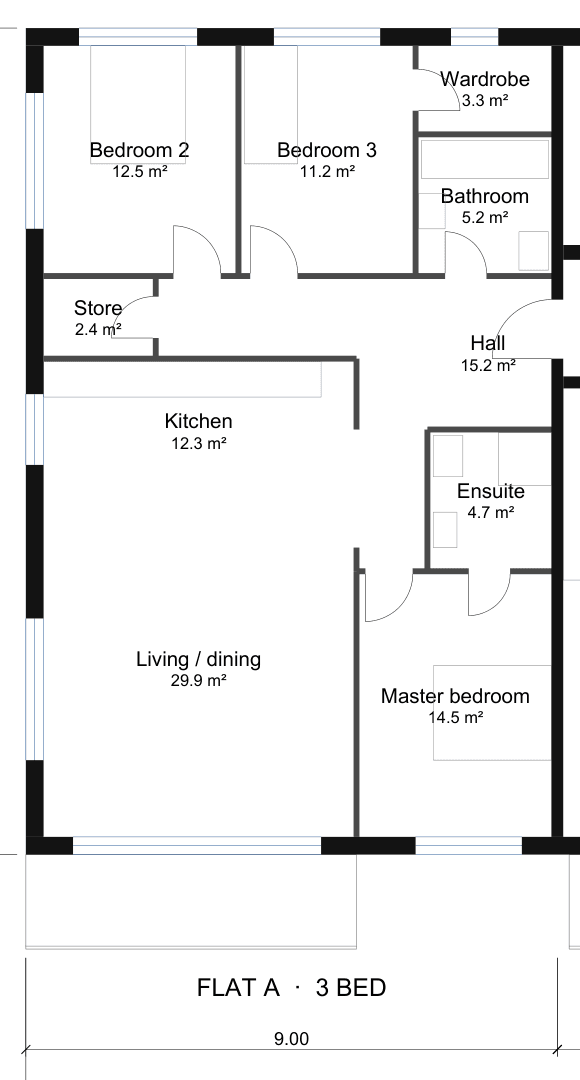
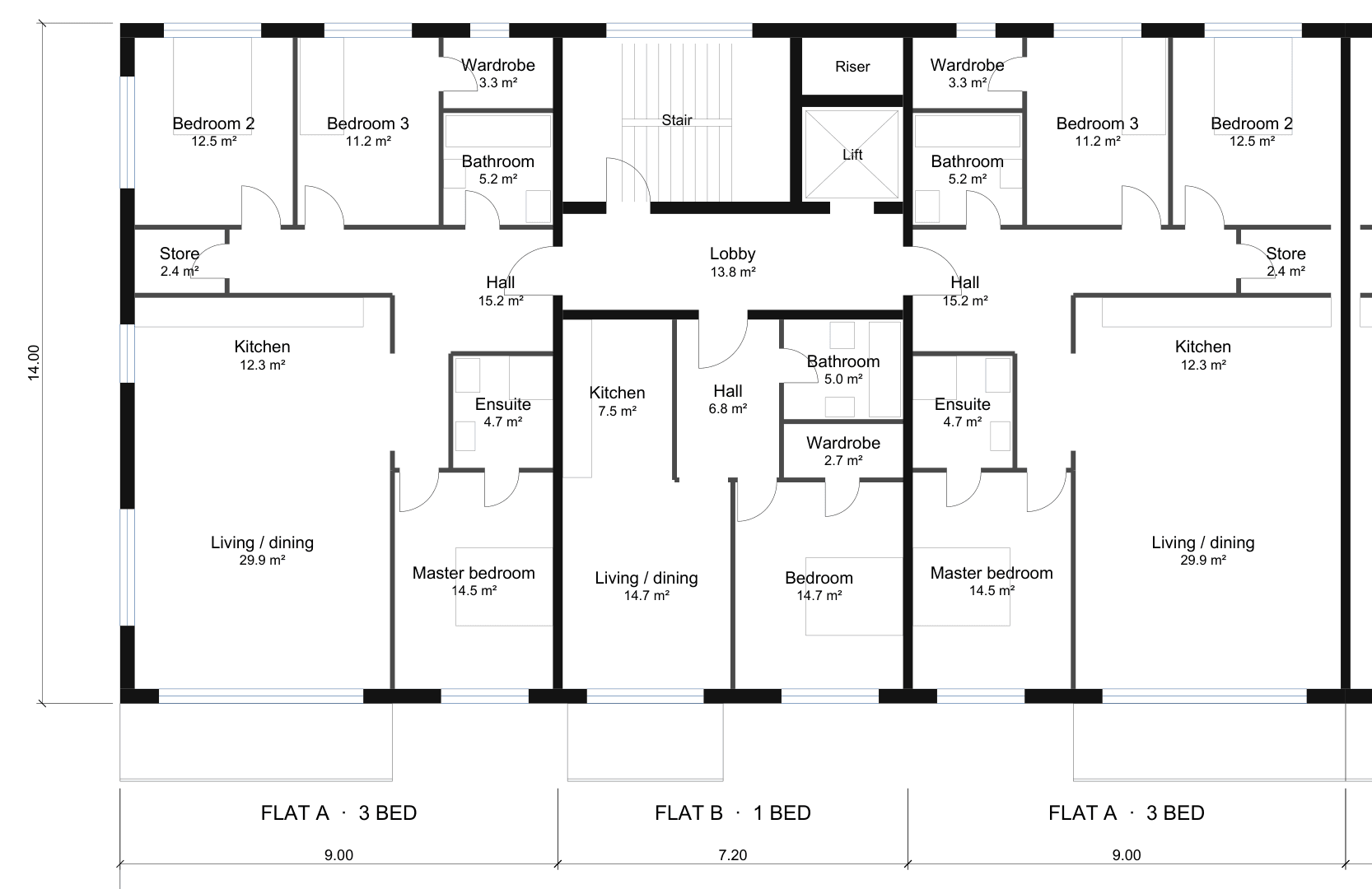
Simulated Telegram phone. About 14 minutes.
Send them from your phone. Read on your computer.
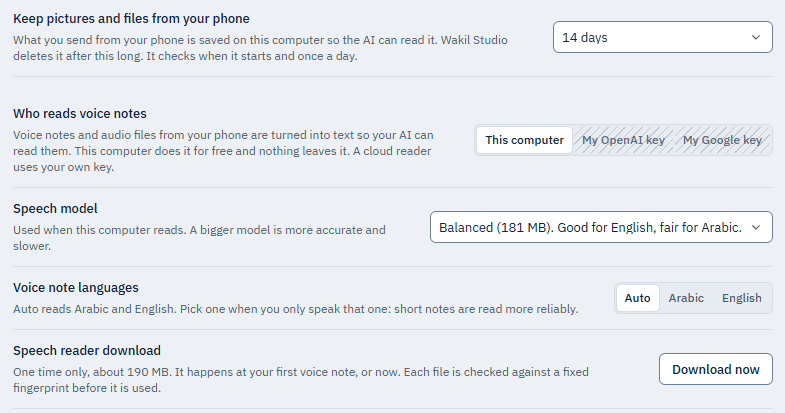
Simulated Telegram, not a real phone.
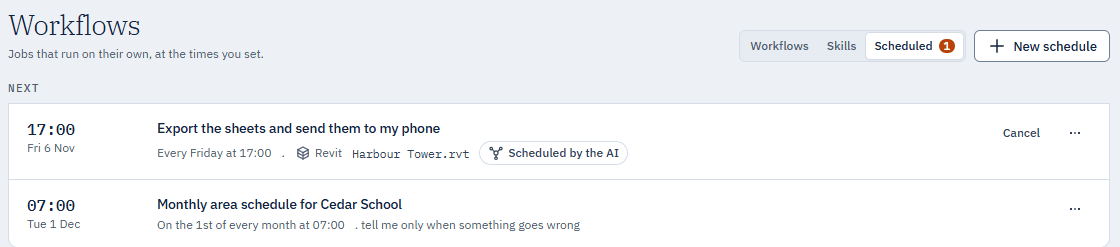
Set a time. Results reach your phone.
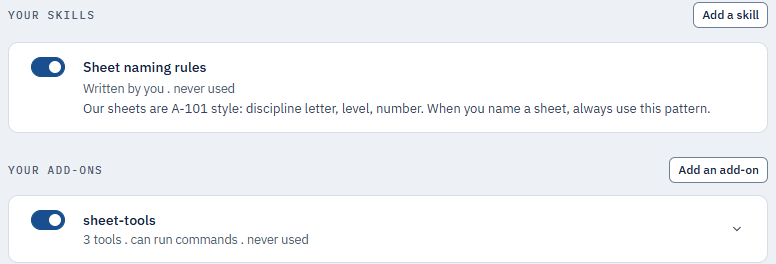
Add skills and tools. Loaded only when needed.
Compare
Compared with the kinds of AI tools architects use today.
| Feature | Wakil Studio Seven apps, one install | Free MCP connectors Open source, one per app | Multi-app connector suites Paid, several apps | Single-app AI plugins Paid, one app | Built-in AI assistants Inside one design app | AI render tools Pictures and 3D scenes |
|---|---|---|---|---|---|---|
| Works where you work | ||||||
| Apps covered | 7 apps: Rhino, Revit, AutoCAD, Navisworks, Blender, SketchUp, ArchiCAD | One app per connector | 7 to 9 apps, some sold per app | One app | Their maker's own apps | Several apps, plus a web app |
| Its own chat, ready after install | Yes | Rarely, most set up by hand | Rarely, most use your AI app | Some have their own | Yes: Panel inside the app | Yes: Its own panel |
| Platforms | Windows 10, 11 | Mostly Windows; some Mac | Windows | Windows; some on Mac | Windows; some on Mac | Not stated |
| What it does | ||||||
| Plain-language edits to the open model | Yes | Yes | Yes | Yes | Partly: Limited in AutoCAD | Partly: Adds new geometry |
| Site context from an address | Yes | Rarely, building blocks only | Some, from footprints | Some, a separate add-on | Not listed | No |
| Model from a photo or sketch | Yes | Some, through cloud tools | Partly: 2D plans or demos | Yes: Rough first pass | Some, approximate | Yes: Editable 3D scene |
| Scan or point cloud to model | Yes: Proven in Rhino | Some, link and check only | Rarely, Revit only | Some, in Revit | Not listed | No |
| Sheets with your own title block | Yes: PDF, DXF, SVG, PNG | Some, not your own block | Partly: Sheets, not your block | Not listed | Some, sheets only | No |
| AI renders and pictures | Partly: Your own picture service | Some, Blender only | Partly: Your installed renderer | Some, with outside tools | Not listed | Yes: Their main job |
| Control and privacy | ||||||
| Approval before changes | Partly: Ask-first mode | Some, read-only modes | Partly: Read-only or preview | Partly: Review after, or prompt | Partly: Switches or confirm | Partly: Asks for cost only |
| Undo of AI changes | Partly: Rhino and Revit | Some, not all | Usually, not every app | Yes: Reject or undo | Yes: Undo or Revert | Yes: One undo step |
| Your model files stay on your PC 1 | Yes AI sees what it's sent | Yes AI sees what it's sent | Yes AI sees what it's sent | Some, not all | Some, not all | Not stated |
| Local AI model on your own PC | Yes: Ollama, LM Studio | Yes: For simpler tasks | Rarely, Revit only | Not listed | Some, one app | Not stated |
| Use the AI you already pay for | Yes | Yes | Yes | Some, not all | Partly: One route in preview | No: AI included in credits |
| Where Wakil Studio differs | ||||||
| Rhino, Revit, AutoCAD, Navisworks and Blender in one | Yes | No: One app each | Rarely, four at most | No: One app | No: Maker's apps only | No |
| Control from your phone | Yes: Telegram | Rarely, mostly Blender | Not listed | Not listed | Not listed | No |
| Scheduled jobs | Yes | Not listed | Not listed | Not listed | Not listed | No |
| Price | ||||||
| Price | USD 149 once, per seat. No trial | Free, open source | A subscription per seat; trials common | Monthly; some have a free plan | Included with the app | Monthly credits, billed yearly |
| One seat over 3 years | USD 149 Paid once | Free | GBP 300 to USD 622.80 Cheapest to dearest; currencies as published | Free to USD 7,164 Paid plans from USD 1,764 | Included Needs the design app | USD 608.40 to 1,044 Cheapest to dearest plan |
Checked November 2026 from public product pages. Categories describe typical tools; individual products vary.
A grey dash means we found it rarely or not at all in the tools we checked. It does not mean no tool can.
One seat over 3 years: a monthly price times 36, a yearly price times 3, a one-time price as is, from the cheapest published plan to the dearest, in the currency each tool publishes, with no conversion, tax, trial or discount.
Something out of date? Tell us.
Install
Adds a connector to each program.
Open your model
Every open file appears in one window.
Ask
Plain words or a ready-made job.
Rhino
7, 8, 9 + Grasshopper
Revit
2021 to 2027
AutoCAD
2021 to 2026
Navisworks
2021 to 2027
Blender
4.2 and newer
SketchUp
2026
ArchiCAD
30
Craft apps
All 11, including BIMCraft and CADCraft
Windows 10 or 11.
Each seat is one license key for one computer. Delivered by email.
Bring your own AI provider account. Your data stays in your own account, you choose the model, and you pay no markup on tokens.
Instant download after checkout. See our refunds and cancellation policy.
Doesn't work as described? Email info [at] a4a [dot] tools and I'll fix it or send a replacement. No refund needed, just a working tool.
Choose Buy now on this page and pay by card: USD 149 per seat, once, with no subscription. The download link and one licence code for each seat you bought arrive by email straight after checkout. Unzip it, run the installer, and paste a code when the app asks. A code activates on one computer.
Rhino 8 (service release 33 or newer) and Rhino 9 have been tested live. Grasshopper 1 is tested live in Rhino 8 and 9; Grasshopper 2 is tested live in Rhino 9 (it exists only in Rhino 9). Revit 2024 and 2025 are tested live, and 2021 to 2023 and 2026 to 2027 are compiled. AutoCAD 2025 is tested live; 2021 to 2024 and 2026 are compiled but not yet run live. Navisworks 2021 to 2027 is compiled for every year, its connection is proven live on 2025, and clash runs have not been tested. Rhino 7 is built and included but has not been run live. The two newest jobs, Model from a picture and Site context, were run live in Rhino 8 and Revit 2025 only; Site context for AutoCAD is built and tested in pieces but has not yet been run inside AutoCAD. Blender 5.2 is tested live: a Rhino tower was taken into Blender and rendered at dusk, and the connection was driven inside a real Blender window. ArchiCAD 30 is tested live. SketchUp 2026 is supported through its own connection but so far has only run against a simulated SketchUp, not the real program. The open-source Craft apps connect; a Rhino picture taken through PhotoCraft into an EffectCraft clip was run live in a real chat.
Not always. If an AI is already installed and signed in on your computer, or you run Ollama, Wakil Studio finds it by itself, lists its models, and you switch on what you want to use. There is no Connect button. Otherwise you add your own account or key with the AI service you choose and pay that service directly. Either way, model access is not resold through a4a.tools.
Anthropic, Google Gemini and OpenAI, plus xAI Grok, OpenRouter, DeepSeek, Mistral, Groq, Together AI, Fireworks AI, Ollama (on your own machine, which needs no account and sends nothing off the computer, or Ollama Cloud), LM Studio and any server that speaks the OpenAI format. The newer services in that list were built from each service's own documentation and tested against simulated servers, not yet against the live service with a real key.
Yes, on your own account with ComfyUI Cloud, Higgsfield, Krea, fal.ai, Black Forest Labs (Flux), Replicate, Google Gemini or OpenAI. a4a.tools resells no credit and adds no markup. You set a per-run limit and a per-day limit (USD 1.00 and USD 5.00 to start). A job inside them runs and is booked in Spending with its price; a job that would go over a limit stops and asks whether to run it once, and running it once does not change the limit. Where a service publishes no price, the job is counted at your whole per-run limit. Results are saved into your project folder as soon as they are ready. ComfyUI Cloud has been run live once; the other services were built from their documentation and tested against simulated servers.
You type the sheet you want, for example a presentation sheet of the panel taxonomy on A3. Wakil Studio reads the open model, captures it, composes the sheet, and checks it against measured rules (nothing touches the edge of its box, pictures print at 150 dpi or more, text is legible, one background). It repeats for up to three rounds, then shows you the sheet with the checks it passed and anything it could not fix, and you save a PDF. It has been run live on Rhino 8, and Revit 2025 views have been exported live. AutoCAD and Navisworks can capture a view but have no styled sheet yet. Rendered pictures in Design Mode need your own picture service; sheets, boards and spec sheets are drawn on your computer. The catalogue offers 20 outputs in five groups. Use your own title block (PDF, DXF, SVG or PNG) or a plain neutral one; sheets save as PDF, DXF, DWG or PNG. Technical drawings, the sun and shadow study, site analysis and the section perspective were run live on a Rhino 8 model. The eight outputs that need a rendered picture are switched off, with a sentence saying why, until you add a picture service. Revit and AutoCAD sheets are not offered yet.
Yes, by default. A new install works on its own, because a job that stops to ask at every step is not much use. Every change is written to the record with the program, the file, who asked and when, and can be undone one step at a time where the program allows it. If you would rather approve each change, open Settings, then Safety, and choose Ask me first, or Auto for safe changes, which still asks before deleting, purging or saving over a file. Each card is a plain one-line summary and can be answered on the computer or from your phone. Read only refuses every change. Keep your files backed up either way.
Every change is written to the record, so you can always see what was done and when. Undo is proven live in Rhino and in Revit 2024 and 2025. In AutoCAD it is requested but not yet proven to take effect, and Navisworks has no undo of its own, so keep a saved copy before a large change there.
Telegram is built and locked to your own phone number, and it has been paired and used from a real phone for messages and for answering changes. Sending it pictures and files, getting pictures and files back, and the list of changes with an Undo button on each row were tested against a simulated Telegram service with real AI turns behind it, not yet from a real phone, so treat those as the newest part of the app. Slack works the same way for a team that already uses it. Voice notes and audio files are turned into text on your own computer by a free speech reader you download once (about 190 MB), in Arabic or English; they were tested with real audio through a simulated Telegram, not yet from a real phone, and very short Arabic phrases are the weak case. WhatsApp is off by default and unofficial, so use a separate number if you switch it on, and it cannot read pictures yet.
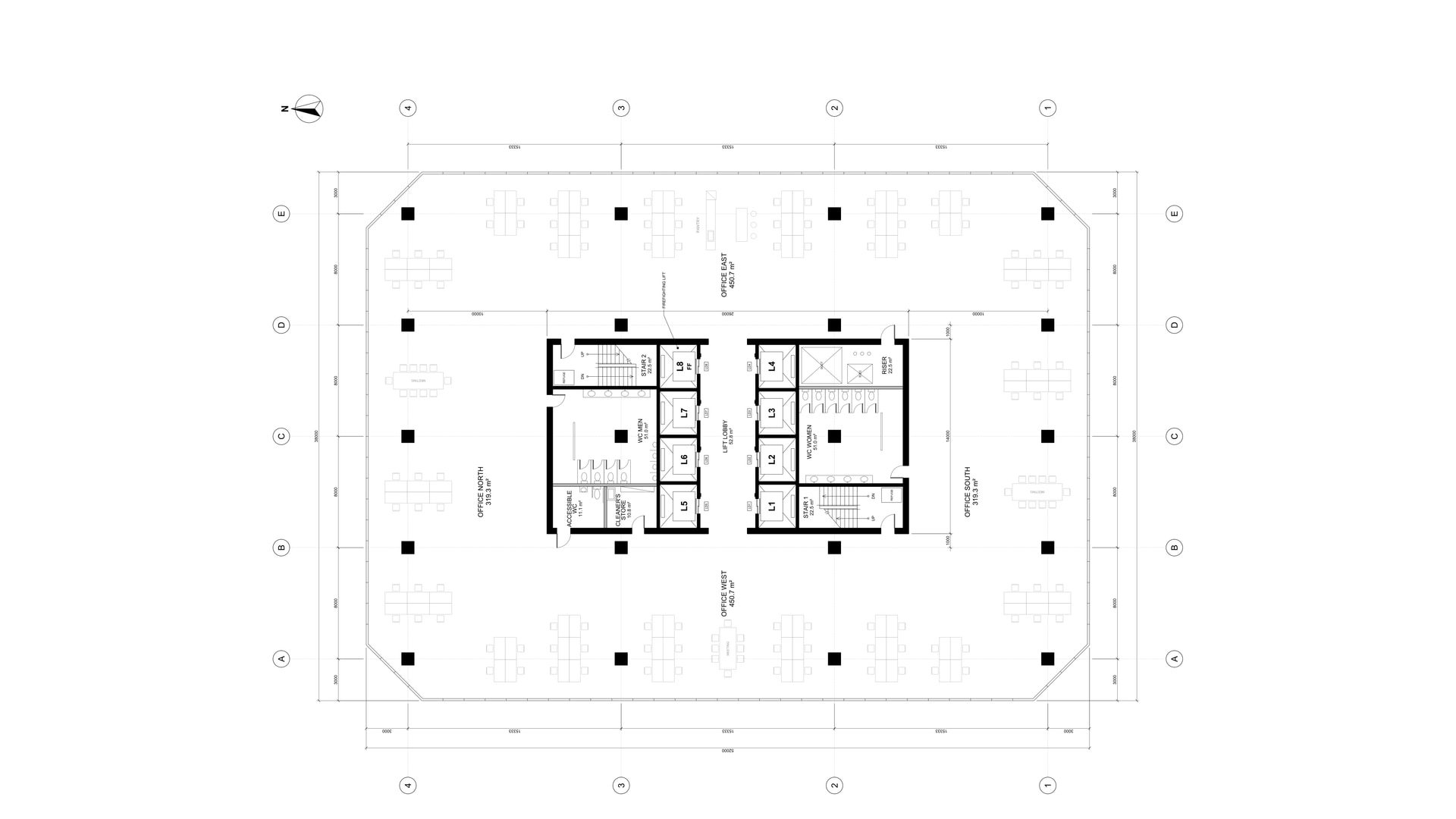
You add up to six pictures and say one length you know, for example that the front of a building is 15 m wide. It builds the model at that scale, measures your length back off the result, and compares the outline with your picture, correcting what it finds up to twice. In our tests a sketch we drew of a three-storey town house front, with the single written length "The front is 15 m wide.", became native Revit 2025 walls, floors, windows and a door (12 walls, 4 floors, 14 windows and a double door) in about two and a half minutes, and the front measured back at 15.000 m. In Rhino 8 a photographed small object with one known length of 180 mm came back at 180.0 mm. Treat it as a fast, correctly scaled starting model, not a finished one: fine curves are approximate, a line drawing confuses the outline check, and anything the picture does not show, such as the depth of a house or the back of an object, you have to tell it. It was run live in Rhino 8 and Revit 2025.
From Overture Maps, a free open map dataset built on OpenStreetMap, read directly: no account, no key and nothing billed. The first time you use an area it downloads about 30 to 45 MB (around 30 seconds on a good connection); places nearby afterwards take a few seconds. Map data © OpenStreetMap contributors and Overture Maps Foundation, licensed ODbL (openstreetmap.org/copyright), and the credit is written into every model it builds. It was run live in Rhino 8 (a waterfront district and a historic city centre) and in Revit 2025 (the same waterfront district, with an earlier map source feeding the same placing code); the AutoCAD version has not yet been run inside AutoCAD. Free map data can be missing, old or wrong, so it says how many building heights are guesses, the sea is not drawn, and it is a design context model, not a survey.
Yes, on the desktop. In Connections, one press adds Wakil Studio's program tools to the ChatGPT desktop app, to Codex and to Gemini's command-line tool, and another press takes them out again; other apps that accept local tools get copy-and-paste steps. Whatever they do appears in your record under the app's name, follows your safety setting, and can be undone. Wakil Studio has to be open for them to make changes. Web-only chat pages cannot connect. We tested it with a standard tool client against a live Rhino: it built a box, the record named the calling app, Undo took it back, and Read only refused it. We have not yet watched each app's own start-up of the tool, and Gemini switches such tools off in folders you have not told it to trust.
A skill is one .wakilskill file that carries something the AI can be told to do: written instructions, a Prompt Builder template or a workflow. You can export your own, import a colleague's, or drop in a plain .md skill, and four starter skills are built in. An imported skill is only read: nothing in it is run, and it cannot change your safety setting. In Settings, Advanced you can also add skills by writing them, and your own add-on tools; the AI loads an add-on only when a job needs it, and a new add-on waits for you to turn it on. This was tested with a stand-in add-on server, not yet with someone else's.
You point it at a point-cloud scan (E57, LAS, PLY, PTS, XYZ, ASC or PTX) and it finds walls, floors, ceilings, openings and rectangular columns. Each one is shown against the scan with its distance in millimetres and a colour map, you set a tolerance and say in plain words what to change, and only what you accept is built, in one Undo step in Rhino. In our test on a real lab scan (14.6 million points, a public CC BY 4.0 dataset) it found 27 elements, 24 of them within 10 mm of the scan and 3 flagged for a look. It was run live in Rhino 8; in Revit 2025 only the placing of rectangular columns has been run live. The columns themselves were proved on a hall with known truth, because the real scan has none in view. LAZ, RCP and RCS files are not read yet.
Yes. The Scheduled tab under Workflows takes a job at a time you set, once or repeating, made with a form or by asking in plain words, for example every Friday at 5 export the sheets and send them to my phone. The AI may also schedule a job itself when it helps; that job is marked as scheduled by the AI, has a one-click Cancel and is told to you in the chat and on your phone. Runs follow your safety setting, are written to Records and send their result to your phone. A run missed while the computer was off is offered to you once, never replayed silently. Jobs run while Wakil Studio is open, or, if you switch it on, through a Windows scheduled task while it is closed. It was tested in the built app with real AI turns and a simulated Telegram, not yet from a real phone.
Yes. What it makes (pictures, models, clips) is kept as assets that remember where they came from, so one chat can take a Rhino view through PhotoCraft into an EffectCraft clip (any of the 11 Craft apps can be a step), or take a Rhino tower into Blender, render it at dusk and send the picture to your phone. Both chains were run live on our test computer, with a simulated Telegram standing in for the phone, and each step is listed in Records. The Blender render was a simple massing, not an architectural visual.
Your keys are encrypted on your own machine with Windows DPAPI and sent only to the service you picked. Your model and your conversation never pass through us: there is no a4a.tools server in the chat path. Site context sends the place you typed to OpenStreetMap's address search and reads map files from Overture's public storage, and nothing else about your model leaves your computer for it. The things that contact us are your licence check, which sends your activation code and an anonymous machine fingerprint, and the update check once updates are published. There is no analytics and no crash reporting.
It opens and connects to your programs in read-only mode. You can look at your models, ask questions and use the Prompt Builder, but it will not change a model until the licence is active. There is no free trial. Once activated, it keeps working offline for 21 days from the last licence check.
The installer is not signed with a code signing certificate yet, so Windows shows its usual warning for a new file: choose More info, then Run anyway. AutoCAD asks you to trust the add-in the first time it loads, and Revit shows its unsigned add-in prompt. The install guide walks through each one.
A single Windows application that connects to the design software you already have open: Rhino with Grasshopper, Revit, AutoCAD, Navisworks, Blender, SketchUp and ArchiCAD. You ask for a change in plain language, pick a ready-made job, give it a picture and one length to model from, or give Design Mode a goal and get back a sheet the AI has already checked. It can turn a point-cloud scan into walls, floors and ceilings you review against the scan, hand work from one program to the next, and run jobs on a schedule you set. It works on its own by default: every action goes into a record you can read, export and, where the program allows it, undo. If you want a card before each change, you switch approvals on in Settings, and you can answer them from your phone. It uses the AI already on your computer, found automatically with no Connect button, or your own account or key, and your other AI apps can use it as a set of tools. Pictures and video run on your own keys within spending limits you set, and you can reach it from your phone through Telegram. Nothing is resold through us: your keys are encrypted on your machine, your model and conversation never pass through us, and the only things that contact a4a.tools are your licence check and, once updates are published, the update check.
Run the installer. It needs no administrator rights, and it adds a connector to each supported design program it finds.
Restart any design program that was already open, once, so it loads its connector.
Open a model in Revit, Rhino, AutoCAD, Navisworks or Blender and start Wakil Studio. Every open document appears in one place, and the AI already on your computer is listed without a click.
Ask in plain language, pick a ready-made job, give it a picture and one length to model from, or give Design Mode a goal. It gets on with it. If you have switched approvals on, read the card that says what will change and approve it.
Every action lands in the record, which you can read later, export as a spreadsheet or a printable page, and undo where the program allows it.
The AI already on your computer, or your own AI provider account or key, or a local model on your machine · Revit 2021 to 2027, Rhino 7, 8 (service release 33 or newer) or 9, AutoCAD 2021 to 2026, or Navisworks 2021 to 2027 · Windows 10/11, 64-bit · Per-user install, no admin rights
One program is enough to start. Wakil Studio finds whichever of Revit, Rhino, AutoCAD and Navisworks are installed and adds the connector for each.
Tested live: Rhino 8 and Rhino 9 (with Grasshopper 1, and Grasshopper 2 in Rhino 9), Revit 2024 and 2025, and AutoCAD 2025. Navisworks is compiled for every year listed and its connection is proven live on 2025. The other years, and Rhino 7, are compiled but not yet run live.
Model from a picture and Site context were run live in Rhino 8 and Revit 2025; Site context for AutoCAD is built but has not yet been run inside AutoCAD. Site context needs an internet connection the first time you use an area, and its map data is © OpenStreetMap contributors and Overture Maps Foundation (ODbL).
Delivered by email straight after checkout: your download link, plus one licence code for each seat you bought. A code activates on one computer.
Version 0.4.3 · Updated 2026-11
All pictures are captures from our own test runs. Map data © OpenStreetMap contributors, Overture Maps Foundation (ODbL).